Common Laravel Website Bugs and How to Fix Them Safely
Diagnose Laravel incidents with reproducible evidence, focused tests, policy checks, query inspection, safe cache handling, and reversible releases.

Md Shafin Ahmed
Full-Stack Developer

Safe maintenance starts by reducing uncertainty, not by trying several unrelated changes until an error disappears. A Laravel bug may involve routing, authorisation, data, cached configuration, storage, or a failed integration. This article provides an illustrative Laravel 9 workflow for finding the affected layer, proving the correction, and releasing it without creating a larger incident.
1. Capture a reproducible report
Record the affected route, approximate time, account role, input, expected result, and actual result. Add a request identifier where the application provides one. Describe whether the problem affects every user or a particular account, browser, or record. Avoid asking someone to send passwords, session cookies, or full customer exports just to demonstrate an ordinary interface failure.
Reproduce the issue in a safe environment using sanitised representative data. If it only occurs in production, narrow the conditions through logs and read-only inspection before making changes. Note the current release revision and recent configuration or content changes. A clear reproduction lets you distinguish the original bug from side effects introduced while investigating it.

2. Triage impact and choose a safe boundary
Determine whether the issue exposes data, corrupts records, blocks a core workflow, or only affects presentation. Security and data-integrity incidents may require containment before a full fix. Disable a narrowly affected feature through an approved mechanism when necessary, and communicate the limitation clearly. Do not make broad access-control changes simply to remove a visible error.
Agree who owns the incident, who can approve a release, and when to reassess the approach. Keep a short timeline of observations and decisions without collecting unnecessary personal data. Avoid speculative rewrites during a customer-facing outage. A small reversible correction with a regression test is easier to review and recover from than a large refactor mixed with urgent behaviour changes.
3. Follow the request through each layer
Check the route, middleware, controller, validation, policy, service, query, and response in order. Confirm that the route resolves to the intended action and that route caching is not hiding an outdated definition. Inspect the actual exception and its context rather than relying only on the browser's generic error page. Never enable public debug output in production.
For authentication failures, examine session configuration, secure cookies, CSRF handling, proxy settings, and the difference between browser and bearer-token requests. Do not disable CSRF or policies to make a failing request pass. For missing assets, check the public path and deployed file, not only the URL string in a local template. Keep each hypothesis specific and testable.
4. Turn an access bug into a regression test
When a user can open another person's record, correct server-side object authorisation and add a test that demonstrates the boundary. Filtering a list or hiding a link is insufficient because someone can still request the detail URL directly. The following PHPUnit method assumes an Invoice factory, an owner relationship, a named detail route, and a policy that returns a forbidden response.
Adapt the expected response if your application deliberately hides resource existence with a not-found result. Use an isolated testing database with the project's database-refresh trait; never run destructive test setup against production. Add a companion assertion that the legitimate owner can access the invoice so a fix that blocks everyone cannot satisfy the entire test suite.
use App\Models\Invoice;
use App\Models\User;

public function test_another_users_invoice_is_forbidden(): void
{
    $owner = User::factory()->create();
    $visitor = User::factory()->create();
    $invoice = Invoice::factory()->create(['user_id' => $owner->id]);

    $this->actingAs($visitor)
        ->get(route('invoices.show', $invoice))
        ->assertForbidden();

    $this->actingAs($owner)
        ->get(route('invoices.show', $invoice))
        ->assertOk();
}
// Place in the application's TestCase with RefreshDatabase configured for testing.
5. Diagnose slow queries before adding caches
Inspect query count, execution time, filters, and pagination using representative data. Repeated relationship access in a loop often produces an avoidable series of queries. Missing indexes may slow a single query even after eager loading. Review the database's query plan before adding an index, and account for the write cost and migration impact of that index.
The listing fragment below scopes invoices through the authenticated account, checks collection-level access, and eager-loads a summary relationship. It assumes those relationships and policy methods exist. Choose only fields needed by the interface, while retaining keys required for relationships. Paginate instead of loading an entire history into memory. Cache only after defining ownership, invalidation, and acceptable staleness.
use App\Models\Invoice;

$this->authorize('viewAny', Invoice::class);

$invoices = $request->user()->invoices()
    ->select(['id', 'user_id', 'customer_id', 'status', 'total_minor', 'created_at'])
    ->with(['customer:id,name'])
    ->orderByDesc('id')
    ->paginate(25);

// The customer relationship must be tenant-consistent at write time as well.
// Detail and download actions still need their own object-level policies.
return view('invoices.index', compact('invoices'));
6. Handle cache, storage, and queue faults deliberately
Identify which cache is relevant: application data, configuration, routes, compiled views, browser assets, or an external CDN. Clearing everything can hide the cause and create a traffic spike. Laravel's cached configuration should read environment values through configuration files. After an approved environment change, refresh the relevant artefact and verify the running process uses it.
For storage failures, check the configured disk, path, permissions, and whether the file should be public or private. Do not solve a private-download problem by exposing an entire directory. For queues, inspect failed jobs and idempotency before retrying. A retried job may send another message or charge again if the business operation was not designed to tolerate repeated execution.
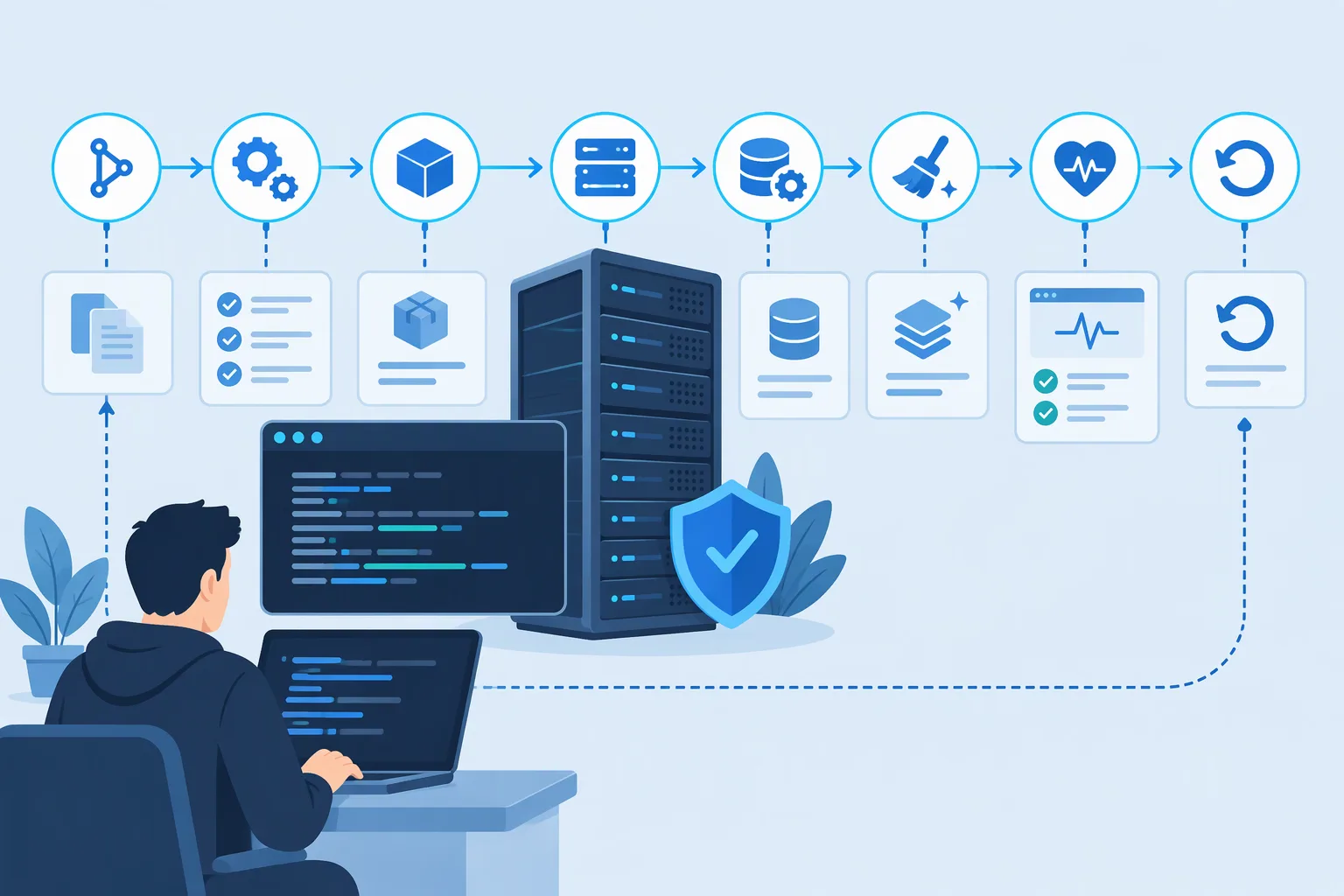
7. Release the smallest complete correction
Review the change together with its regression test and any schema or configuration dependencies. Verify the target PHP and Laravel versions rather than copying an API from newer documentation without checking compatibility. Keep unrelated formatting and architectural changes out of the patch so reviewers can understand the behaviour being corrected.
Use the established release process, confirm backups where data changes are involved, and define a rollback that accounts for database compatibility. Watch the affected workflow immediately after release using an appropriate test account. Check that permissions, background jobs, and public assets still behave normally. A passing local test is important evidence, but it is not proof that production configuration matches the test environment.
8. Close the incident with prevention
Record the cause, the fix, the verification performed, and any remaining follow-up in the team's existing issue system. Keep the explanation factual rather than assigning blame. Add monitoring only where it will lead to an action someone owns. Review recurring incidents for a shared cause, such as unclear deployment responsibilities or untested object access.
- Preserve reproducible, privacy-aware evidence.
- Keep debug output and secrets private.
- Prove the original failure with a test.
- Verify authorised and denied behaviour.
- Release reversibly and confirm the live workflow.
Written by
Md Shafin Ahmed
Laravel, Wix & Flutter developer at HEXBRID, building custom web applications, e-commerce stores, and mobile apps for growing businesses.
More About Me